


CREATING A LOCATION
You do not need to create a Location for your Head Office, as this is already pre-populated in your Organisation Information section.
As such, please only create Locations that are outside of your Head Office.
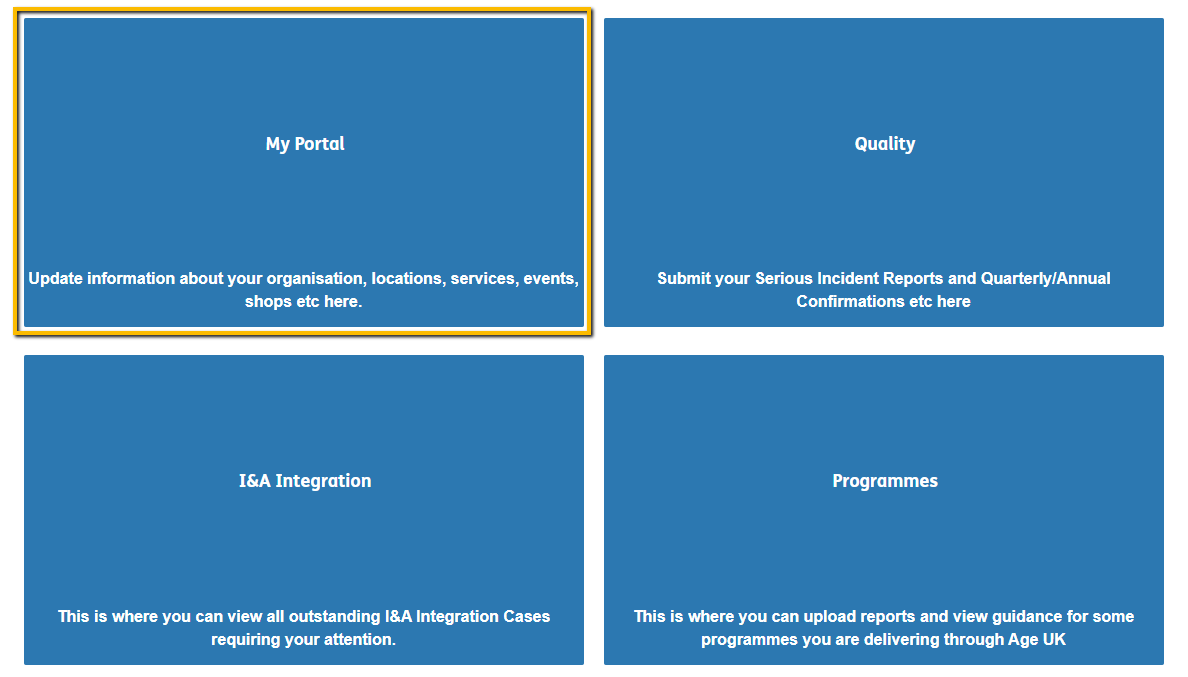
1. After signing in to the Portal, click on "My Portal"
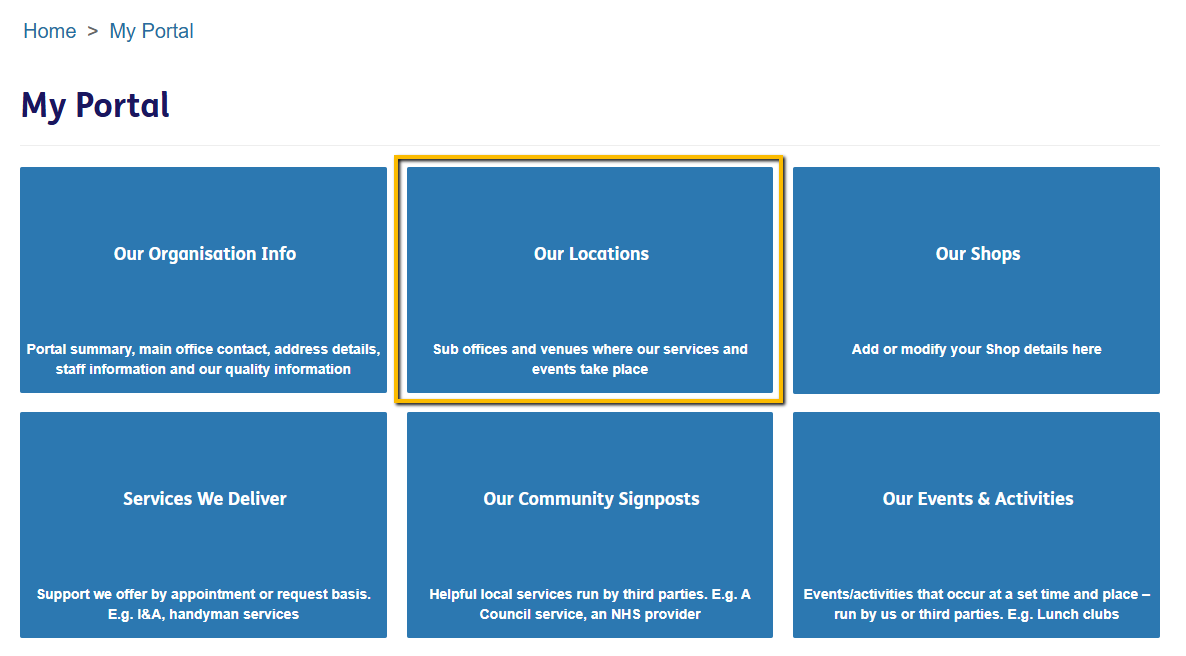
2. After this you will be presented with 6 tiles. Click "Our Locations"
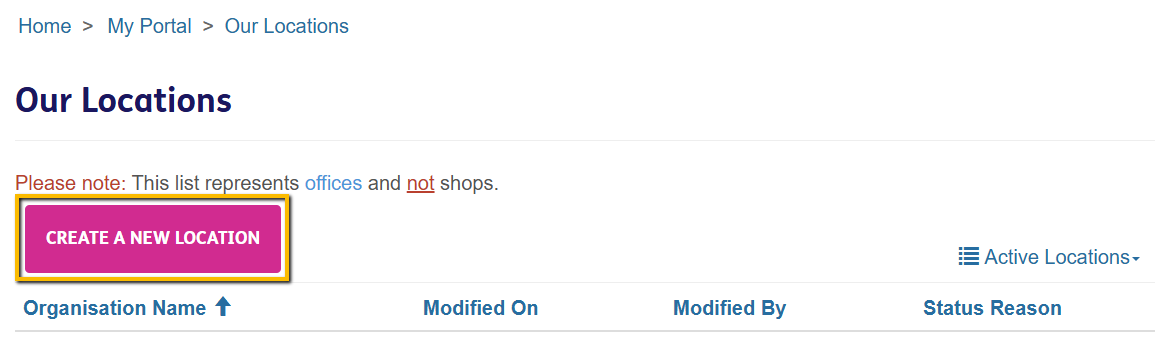
3. Select "Create a new Location"
4. Fill out the Location's information then scroll down to the end of the page and select "Next"
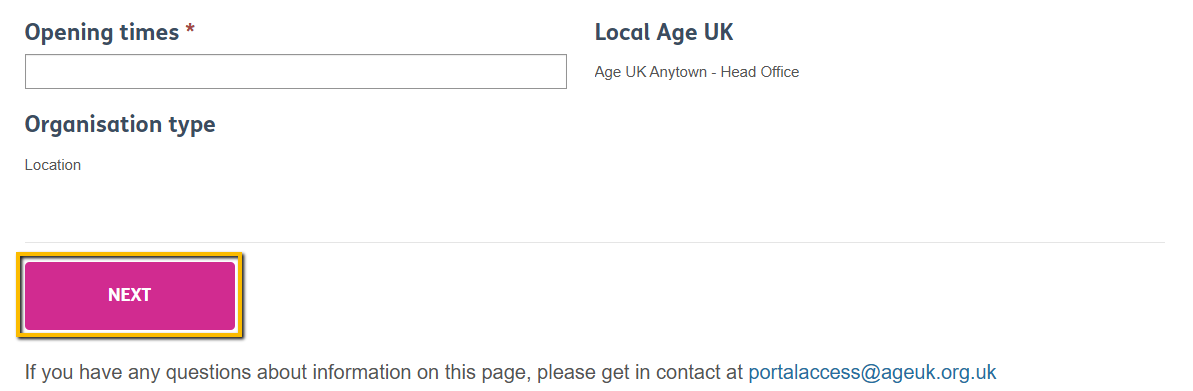
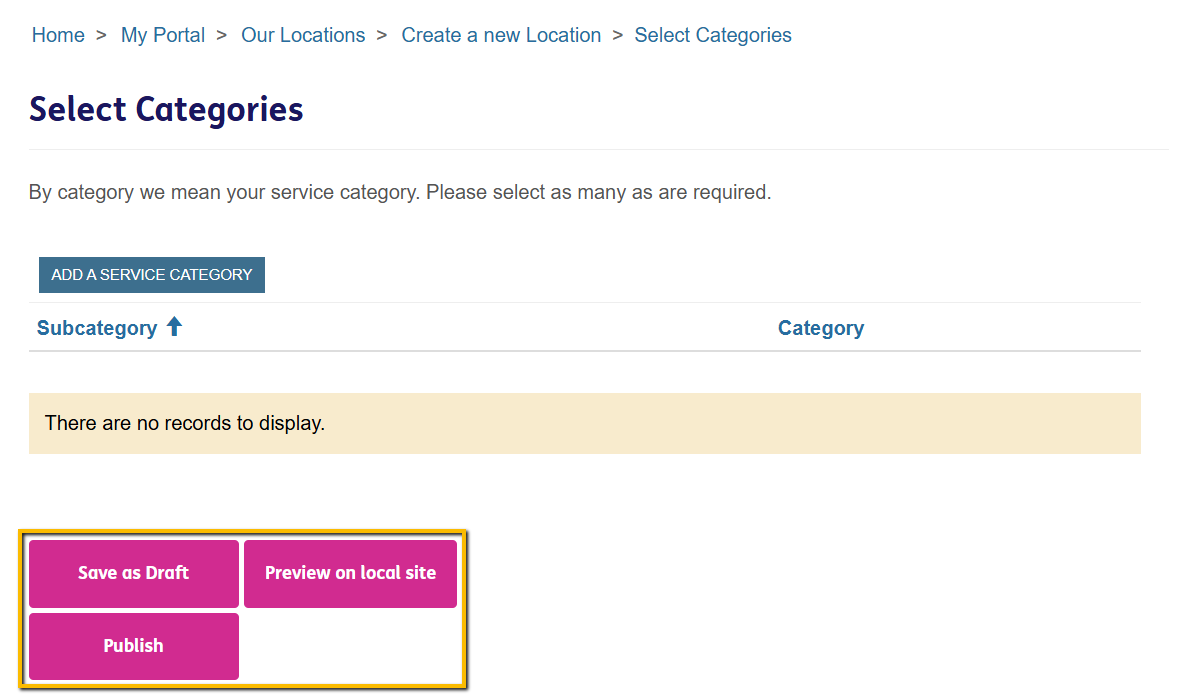
5. Ignore the prompt to add a category. Instead, select one of the following:
Save as Draft
Saves your Location but doesn't publish it anywhere i.e. it will not show up on either the Local Directory or your Local Age UK Website for the public to see.
Preview on Local Site
Saves your Location but only publishes it on your Local Age UK Website.
Publish
Saves your Location and publishes it on both the Local Directory and your Local Age UK Website
6. After selecting any of the above options, your Location will have been created. When creating a Service, you can now link it to a Location you created.