


INVITING SOMEONE TO THE PORTAL (WEBSITES)
At each Network Partner there is a Portal User with "Superuser" Access. This person (usually your CEO, Manager or Service Lead) can invite others to the Website area of the Portal following the guidance below.
If you don't know who this is at your Organisation, please Contact Us to find out.
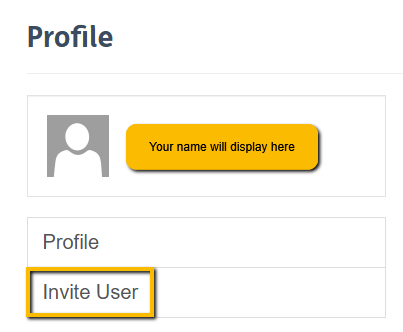
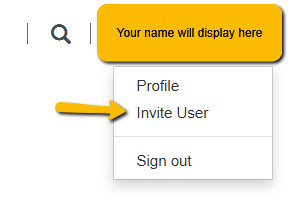
1. After logging into the Portal, either in the top right corner or on the left hand side, click your name and select "Invite User."
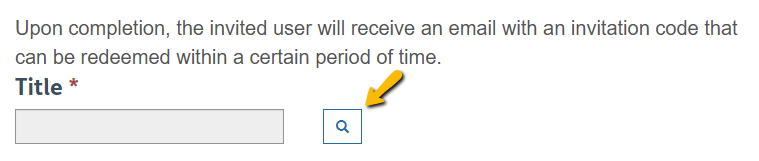
2. Click on the magnifying glass next to "Title" field.
3. Enter the title you want to search for (e.g. Mr, Mrs, Miss, Ms etc), then press Enter on your keyboard.
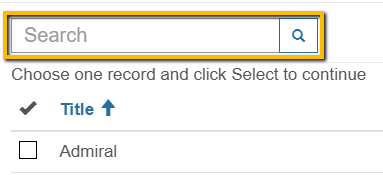
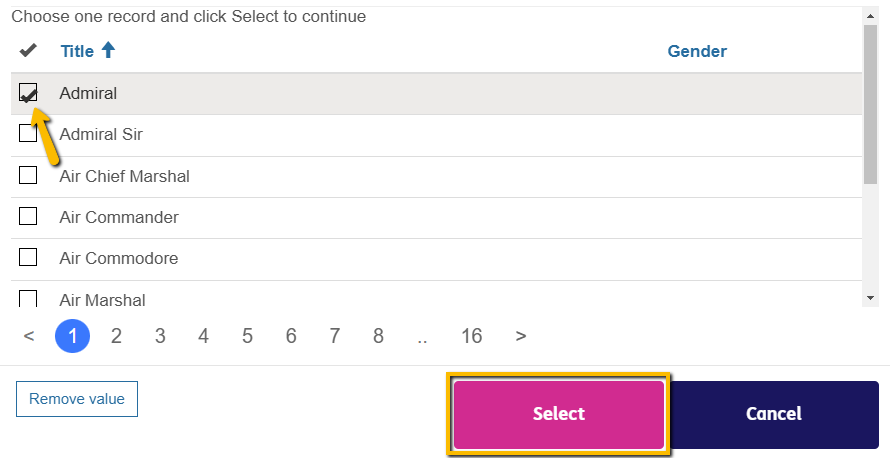
4. Tick the title you want, then click “Select”
5. Type in the invitee’s details, then click “Submit”
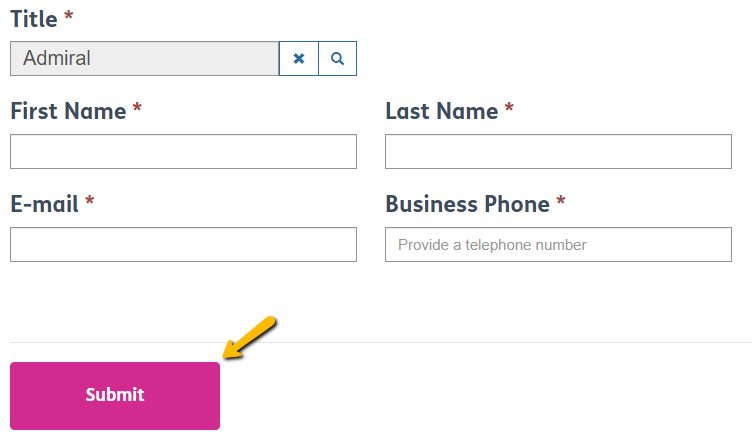
6. When you click “Submit”, this will trigger an email invitation to be sent to the individual.
The email will contain a link that they must click within 5 days to complete their registration and activate their Portal.
If the link expires, they will need to email portalaccess.